internet, technology

Firefox: Persona vs Theme

Recently, Mozilla launches a new feature for their Firefox browser, called as Firefox Persona. It’s an addon that allow you to change the skin of your Firefox with your favorite brands. They’ve made a new site for the Persona Gallery where you can download the Personas made by many designers. One thing in my mind when I know this: “What about the Firefox theme?”.

As you know Firefox has already had the Theme Gallery, which is integrated to the Addon Gallery. What about them after the Persona is launched? In their FAQ page, they said that Persona is a special type of theme that changes the look of your browser without changing the navigation buttons, toolbars, and menus, while Themes change the appearance of Firefox.

Still curious, then I made a test: install Persona and a theme at the same time. And here is my conclusion: Persona is made to re-skin your Firefox, it is only capable to give a new background for toolbar and statusbar, while it can’t make any modification to the style of the buttons, tabs and any color like Themes do. Imagine that installing Persona is like making a tattoo to your body, while installing theme is like getting a plastic surgery on it. And happily, you can combine both!

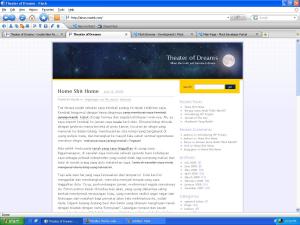
Here is the screenshot of my Firefox tattoo-ed with WordPress Vintage Persona and altered with Vista-aero theme. Nice, eh?

Firefox Persona

Firefox Persona

Oh, I just realize that the Personas is much like Google Chrome themes. Hmm..

Standard
blogs

Smells Like Facebook!

Update:

2 Agustus 10: Smells Like Facebook 2.6 : http://smells-like-facebook.nazieb.com/513/smells-like-facebook-2-6/

16 April 09: Smells Like Facebook telah dirilis.. Silakan lihat & download di sini. For further info about the themes, visit http://wp-project.nazieb.com/themes/smells-like-facebook/

Akhirnya theme kloning dari Facebook ini selesai juga (phew). Pekerjaan iseng-iseng saja sebenarnya, hanya untuk mengisi waktu di antara waktu nganggur dan waktu kerja lembur. Dan boleh saya bilang, theme ini merupakan theme WordPress yang paling ‘ngeplek’ dengan stylesheetnya Facebook 8) . FYI, theme ini meng-klon halaman profil user di Facebook. Tidak seluruhnya memang, tapi garis besarnya sudah disesuaikan dengan fitur-fitur WordPress.

Kolom untuk ads / iklan masih belum disediakan, mengingat hal tersebut tidak ada dalam fitur dasar WordPress. Tab-tab boxes di Facebook digantikan dengan daftar kategori, sementara link-link utama di pojok kiri atas diganti dengan daftar Page / halaman. Gambar / foto dari pemilik blog / komentator diambil dari Gravatar, tentu saja. Kotak deskripsi pendek (di bawah foto utama) adalah Biographical Info yang ada di wp-admin/profile.php. Judul blog & tagline ditempatkan di mana nama user & status di Facebook berada.

Theme ini masih saya gunakan secara pribadi di blog ini dan belum saya rilis untuk umum, karena ada beberapa fitur yang belum ditambahkan, serta masih ada beberapa tampilan yang kacau jika ditampilkan di Internet Explorer. IE sucks!! Rencananya sih akan saya upload ke Direktori Theme WordPress. Semoga saja lulus verifikasi. :D

Ternyata meng-kloning itu mengasyikkan! Memang ada beberapa pihak yang mencibir bahwa saya ini bisanya meniru doang lah, yang ide-nya ga orisinil lah, yang plagiat lah. Ya mau bagaimana lagi? Wong saya ahlinya memang di situ. Saya masih belum bisa menemukan ide yang benar-benar orisinil dan bagus, jadi yah, sementara bertahan di level ini dulu.

Jika ada kritik atau saran atau pujian soal theme ini, silakan meninggalkan reply. Terima kasih. :D

Standard
internet, tips

Open IE-only site using Firefox

Beberapa situs penting di internet, seperti layanan internet banking, memerlukan Internet Explorer agar bisa dibuka. KlikBCA misalnya. Tapi situs yang satu ini masih agak mending. Bila Anda memaksa membuka dengan browser lain, situs tersebut akan tetap terbuka, meski ada beberapa fungsi tambahan yang tidak bisa berjalan baik seperti di IE. Bank Mega yang parah. Jika Anda membuka dengan browser lain, situs ini akan menampilkan pengumuman yang berbunyi “This site can only be opened using IE bla bla bla bla”. Sangat merepotkan memang, apalagi bagi Anda para pengguna Linux.

Ada beberapa hal yang bisa dilakukan untuk mengatasi hal ini:

1. Menginstall OS Microsoft Windows di komputer Anda, baik diinstal secara langsung ke Hard Disk (dual boot) atau diinstal ke Linux Anda dengan software virtual machine seperti VMWare atau VirtualBox. Ini cara yang paling merepotkan memang. Selain lebih susah, mahal (jika menggunakan lisensi asli), juga boros space hard disk.

2. Menginstall program IEs for Linux, yaitu sebuah program yang mengemulasikan IE di Linux Anda. Dengan program ini seolah-olah Anda mempunyai browser IE di Linux, sehingga Anda bisa membuka situs-situs tersebut. Cara ini lebih mudah, tapi masih ada cara yang jauh lebih mudah lagi.

3. Menggunakan Firefox. Caranya? Anda harus menginstall sebuah add-on khusus bernama User Agent Switcher, yang bisa Anda download di sini. Add-on ini berguna untuk menyamarkan Firefox Anda, sehingga ketika Anda mengakses situs-situs tersebut, situs tersebut akan mengira bahwa Anda menggunakan IE. Untuk menggunakannya, setelah menginstall dan merestart Firefox Anda, klik Tools -> User Agent Switcher -> Internet Explorer. Lakukan sebelum Anda mengakses situs tersebut. Dan jangan lupa untuk mengembalikan ke default setelah Anda selesai.

Happy browsing.. :)

Standard
internet

Embedded Flash is Blocked in Firefox

Have you ever installed Adblock plugin to your Firefox? Right, in the plugin preferences, you can set the browser to block the ads and embedded object. But now, the same effect, occurs in my without-Adblock-Firefox. When I open a site that contains an embedded Flash object, a strange gray box hide it, so I can’t interact with the object. First I thought that the Flash Player plugins didn’t work, but the browser didn’t show a notification about the ‘Missing plugin’. I get confused why does it happen? I never installed adblock before. Plugins installed in my Firefox only Firebug and Web Developer, for work purpose.

After I cleared all cookies and the private data, the flash player work well again. One thing that I realized is, the gray box will appears again, after I open a file sharing site, http://indowebster.com. Indeed, in that site there are a lot of ads and Flash object. After those objects loaded, pooff!!, the gray box suddenly appears. Not only in that site tab, but in every tab in my Firefox.

Until now, I didn’t get that problem solved, even after I re-installed the browser. Maybe anyone can help?
Thanks in advance

Standard